 Documentation
System Dashboard Overview
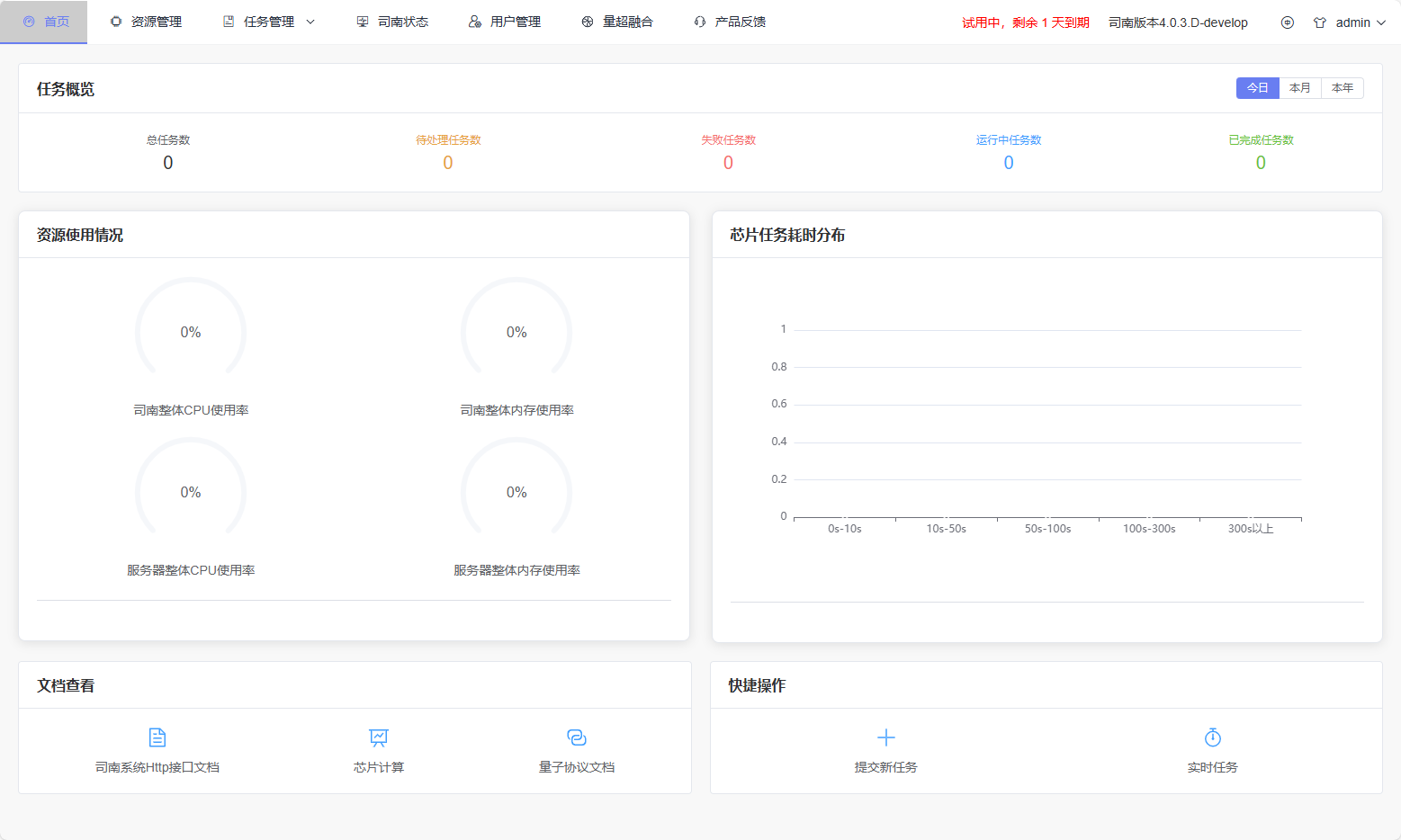
Page Overview: The Dashboard page serves as the comprehensive overview page for the Origin PilotOS Visual Management Console, displaying current task overview, resource usage, and chip task time distribution, while providing quick access to documentation and common operations.
After successful login, users will be redirected to the dashboard, where they can instantly grasp the overall system status and task distribution.
Task Overview
Function Description: This module displays aggregate statistics for all tasks within the selected time range, including:
Total Tasks;
Pending Tasks;
Running Tasks;
Failed Tasks;
Completed Tasks.
Users can switch the statistical period (Today / This Month / This Year) using the top time selector. The data refreshes automatically upon changing.
Resource Usage
This area displays the following metrics in real-time using circular gauges:
PilotOS System Service CPU Usage;
PilotOS System Service Memory Usage;
PilotOS Host CPU Usage;
PilotOS Host Memory Usage.
All gauges are refreshed periodically to reflect the real-time operational status of the system.
Chip Task Runtime Distribution
Function Description: This module uses a bar chart to show the distribution of chip workloads across different task execution time intervals.
The X-axis represents runtime intervals (e.g., 0–10 seconds, 10–50 seconds, 50–100 seconds), and the Y-axis represents the number of tasks within the corresponding interval.
This chart shares the time selector with the Task Overview module, synchronizing when the statistical period is switched, used to analyze overall system execution efficiency.
Documentation Access
Provides quick access entries to core system documentation:
PilotOS HTTP API Documentation;
PilotOS Chip Computing Operations Manual;
Quantum Protocol Documentation.
Clicking the icons will open the corresponding documentation in a new browser tab.
Quick Actions
Used for fast access to common functions:
Submit New Task – Jumps to the task submission page;
Real-Time Tasks – Jumps to the real-time task status page.
These quick entries enable users to efficiently complete daily operations directly from the Dashboard.